














In many companies, someone spends part of their day copying data from one program to another: web orders into the management software, invoices into the accounts, weighbridge weights onto the delivery note, hours from work reports into the cost spreadsheet. It is work that adds nothing, produces the odd mistake and delays information. This article explains how to connect those programs, what technical options there are and where to start.
First, draw the map
Before talking about technology, write down on paper what data moves around your company and how. For each manual handover, note:
- What data is passed: order, invoice, customer, weight, hours, stock.
- Which program it comes from and which one it goes into.
- Who does it and how often: every time, once a day, at month end.
- How long it takes and what happens when a mistake is made.
- Whether it goes one way or both: sending invoices to the accounts is not the same as keeping a customer record in sync in two places.
With that map you will quickly see which handovers consume the most time or cause the most errors. Those are the first ones to connect.
Ways to connect programs
There are several ways to make two programs share data. None is the best in every case; it depends on what each program allows.
| Method | How it works | When it fits |
|---|---|---|
| API connection | One program requests or sends data to the other through an interface designed for that purpose | Modern or cloud-based programs that offer one; it is the cleanest option |
| File exchange | One exports a file (CSV, XML, Excel) and the other imports it, on a schedule | Older or closed programs that only allow import and export |
| Database access | Data is read from or written directly to a program's database | When there is no other way and the vendor allows it; requires care |
| Machine connection | The program receives data from weighbridges, batching machines, readers or terminals | Whenever someone is typing in what a machine displays |
| Automation of manual work | A system repeats the steps a person would take: reading a document, copying fields, saving | When the programs offer no technical route or the data arrives in documents |
Questions to ask your suppliers
Often the connection depends on what each program lets you do. Ask whoever sells or maintains them:
- Does it have an API or any automatic import and export system?
- Is it documented? Is there a cost to use it?
- What data can be read and what can be written?
- What happens to the connection when the program is updated?
- Are there already connections with other programs I use?
If a program doesn't let you get data out or put data in by any means, that is important to know the next time it is due for renewal.
How to do it step by step
- Choose one handover. The one that costs the most time or causes the most errors, not the flashiest.
- Define the reference data. If a customer exists in two programs, one of them is the master. Decide which, and have the other update from it.
- Agree on codes. Customers, items, jobs or farms must have the same code on both sides, or a table that links them.
- Test with real data for a while, in parallel with the manual method, comparing results.
- Set up alerts. If a transfer fails, someone needs to find out that same day, not at month end.
- Document the connection. What it does, when it runs, who maintains it. In two years' time nobody will remember.
- Move on to the next handover once the first one runs by itself.
Alternatives to connecting program by program
A dashboard that brings it all together
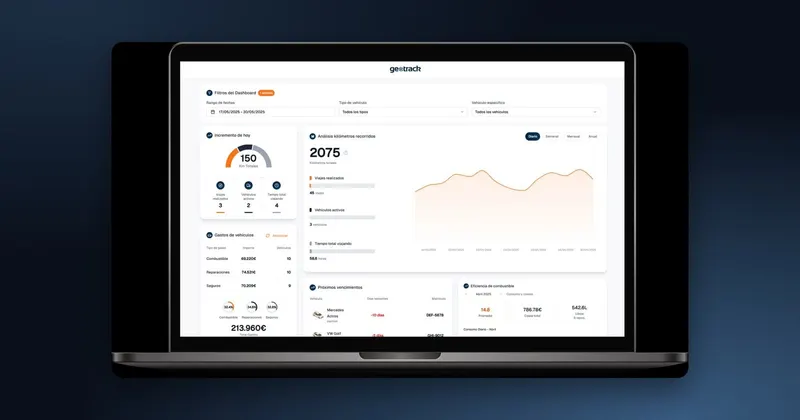
Sometimes the programs don't need to pass data to each other: what is missing is seeing it all together. Management wants to know the margin per job by combining sales, purchases and hours, and each piece of data sits in a different place. In that case, a dashboard that reads from all the systems can be simpler than connecting the programs one by one. Tools such as Power BI or Excel itself, fed automatically, make it possible to combine the information without touching the source programs.
Replacing a piece
Sometimes connecting isn't worth it. If you have five programs for things that a single one could do, each connection is one more piece to maintain. In that case it is worth considering whether any of them is redundant and whether a bespoke or industry-specific program could replace several. That decision is made with the data map in front of you: it shows which programs are essential and which are only there out of habit.
Common mistakes
- Connecting without cleaning up. If one program holds three records for the same customer, the connection will multiply them in the other. Clean up first.
- Syncing both ways when it isn't needed. It is far more complicated and creates conflicts. If one direction is enough, so much the better.
- Not planning for failures. A connection that fails silently is worse than the manual handover, because nobody checks it.
- Depending on a single person. If the connection was built by someone who is no longer there and nobody knows how it works, you have a problem waiting to happen.
- Trying to connect everything at once. Each connection needs its own testing period.
How we do it at Infonet
At Infonet Consultores, connecting programs is part of our daily work: we link our applications and bespoke developments with accounting, e-signature, e-invoicing and the programs you already have running, and we connect them to weighbridges, batching machines, clocking terminals and readers so that data goes in on its own without any typing. We also build dashboards in Power BI and Excel that combine data from all your systems. When data arrives in documents, such as supplier invoices, Capturia reads it using artificial intelligence and records it in your invoicing or accounting program. Find out more about bespoke software development and, for industry, on the software for industry page.