














If your company runs a management system that was built for you years ago, every change in the law ends up with the same question: who will adapt it, and by when? In custom software development, the answer depends on three things: knowing which parts of the system the new rule affects, having someone who can change the code, and leaving time to test it. This autumn there is a specific reason to ask: Orden HAC/1028/2026 (a Spanish ministerial order). Below you will find what to check, a backwards plan in phases, and what is worth asking your supplier to confirm in writing.
Why now: Orden HAC/1028/2026
Orden HAC/1028/2026 was published in the BOE (Spain's Official State Gazette) on 05/10/2026 and has been in force since 06/10/2026, according to the news item on the website of the Agencia Tributaria (the Spanish Tax Agency) dated 07/10/2026. With it, the deadlines in Real Decreto 238/2026 (a Spanish royal decree) start to run: 12 months for companies with more than 8 million euros in operations and 24 months for everyone else.
What that obligation means for your invoices is explained in Capturia, for the ones you receive, and in Facturacom, for the ones you issue. Here we focus on what falls to you as the owner of a custom-built system, whichever rule forces it to change.
Why a custom-built system needs its own plan
A standard product is updated by its vendor for all customers at once. Yours depends on whoever programmed it: if that company still provides support, the adaptation is just another maintenance task. If it is no longer around or the code is not yours, you have to find someone who can work on it, and that takes weeks before a single line is written.
This works well as long as there is someone at the other end of the phone who knows your system. When there isn't, every legal change arrives later and costs more, because first someone has to understand how it was built.
Which parts of your custom software a legal change affects
A rule rarely stops at a single screen. Before asking for a quote, go through these pieces with whoever maintains the system:
- The data the system stores and how long it keeps it.
- The documents it prints or exports: delivery notes, invoices, reports for your accountants.
- The connections to the outside: the tax authorities, your accountant's accounting software, or a large customer's portal.
- Who can modify data that has already been saved, and whether the change leaves a trace.
- The things that sit alongside the system: the spreadsheet for credit notes or the computer at the counter.
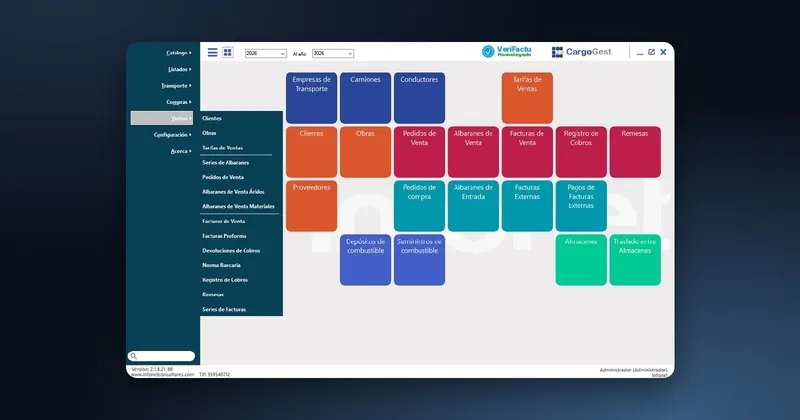
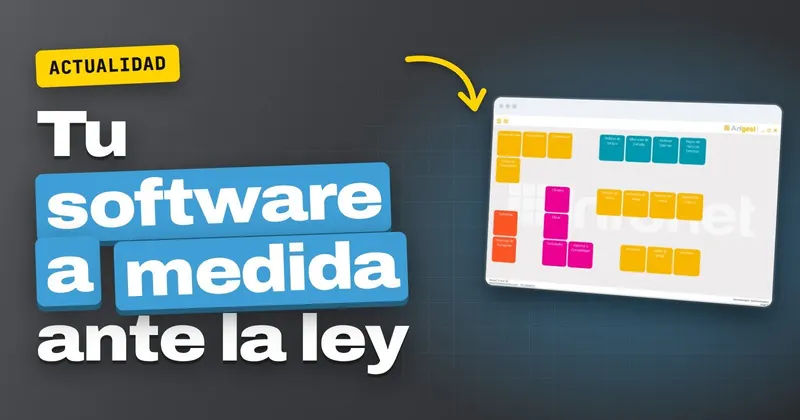
In the industry-specific systems we build at Infonet, everything lives inside the same program. In Arigest, our management software for quarries and aggregates, the main menu brings together purchases, sales, jobs, lorries and the export to accounting, so a legal change to sales documents affects several of those options at once.
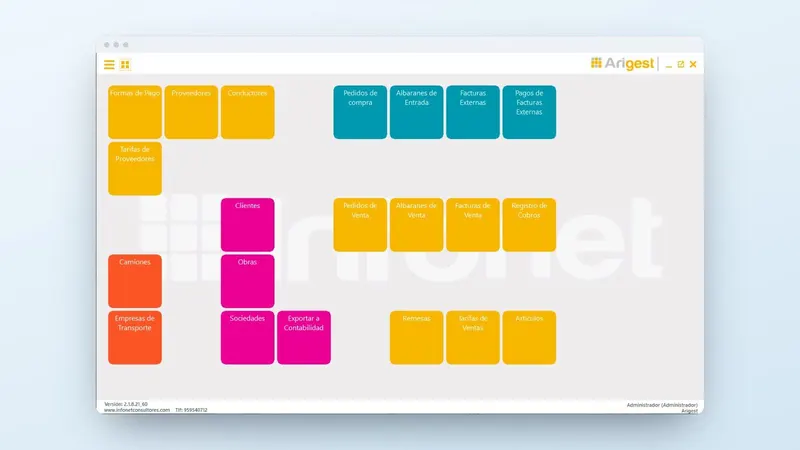
If your system has pieces spread around and you don't know where to start, tell us how it is set up and we will tell you which parts would need checking: the same team programs it and maintains it.
How to adapt the system step by step
1. Read the rule with your accountants
The first thing is to know what it requires of you and by when. Your accountants will tell you which band your company falls into and which documents change. With that in writing, the conversation with your software supplier goes much faster.
2. Check who can touch the code
If the system was built by a company that no longer exists, or the code is not yours, the adaptation gets complicated. We explain this in the questions worth asking before hiring a software company, starting with who owns the code.
3. Decide whether to adapt, connect or replace
You can adapt the module you already have, connect your system to another tool that handles the new part, as we describe in how to connect programs that don't talk to each other, or take the opportunity to switch systems. For the latter, the guide to moving data from an old system to a new one will help.
4. Test with real data
Test with genuine documents from your customers and suppliers, including their series and corrective invoices. A test done in the last week before the deadline leaves little room to fix anything.
How to work out your margin: a backwards plan
Start from the date the rule sets and subtract phases. The one you are left with at the beginning is the date by which your supplier has to start.
| Phase | What is done | Who |
|---|---|---|
| Analysis | Review which modules the rule affects and what data is missing | Your supplier, with your accountants |
| Programming | Change the software and install it in a test environment | Your supplier |
| Testing | Repeat real operations and check the documents produced | Whoever uses the system every day |
| Training | Show the changes to the office and to whoever covers holidays | Your supplier |
| Go-live | Install the final version and keep a close eye on the first few days | Both |
Schedule go-live well away from month-end and quarter-end: if something goes wrong, it shouldn't coincide with the week your accountants ask you for the paperwork.
What to ask in writing from whoever maintains your system
- What changes the system needs and in which modules.
- Whether the adaptation falls under the maintenance contract or is quoted separately.
- A delivery date and a separate date for testing with your data.
- How the backup will be made before the new version is installed.
The contract question depends on what you signed; if you are not sure, read what the maintenance of custom software includes. For backups, see the article on security and backups for the data in your management software.
What to do this month with your system
- Ask your accountants what the rule requires of you and by when.
- List the affected programs and who maintains each one.
- Ask that supplier for a written answer and a test date using your data.
We have been doing custom software development in Huelva since 1999, and the person who looks after you is the person who programs it. If we built your system, or it comes from another company and you don't know who can adapt it, write to us and we will go through what it needs with you, or call us on +34 959 54 07 12.